Set your rotation once. Shifty fills in the calendar.
See today and your next shift the moment you open the app, change a day in two taps, and send your next weeks to family or your team in three. Pick one of four built-in rotations or build your own, and Shifty colours every day, reminds you before each shift and adds up your hours and pay. No account, no ads, and Shifty never sends your schedule anywhere unless you share it.
4
built-in rotations
2–56
day cycles, or 1–8 weeks, of your own
5
shift types of your own
2
taps to change a day
3
themes: Midnight, Slate, Daylight
5
holiday regions, for every year
Features
Everything a rota needs.
For nurses, police, fire and ambulance crews, factory, security, retail and hospitality workers: anyone who needs to know which shift they're on weeks or months ahead.
01
Today at a glance
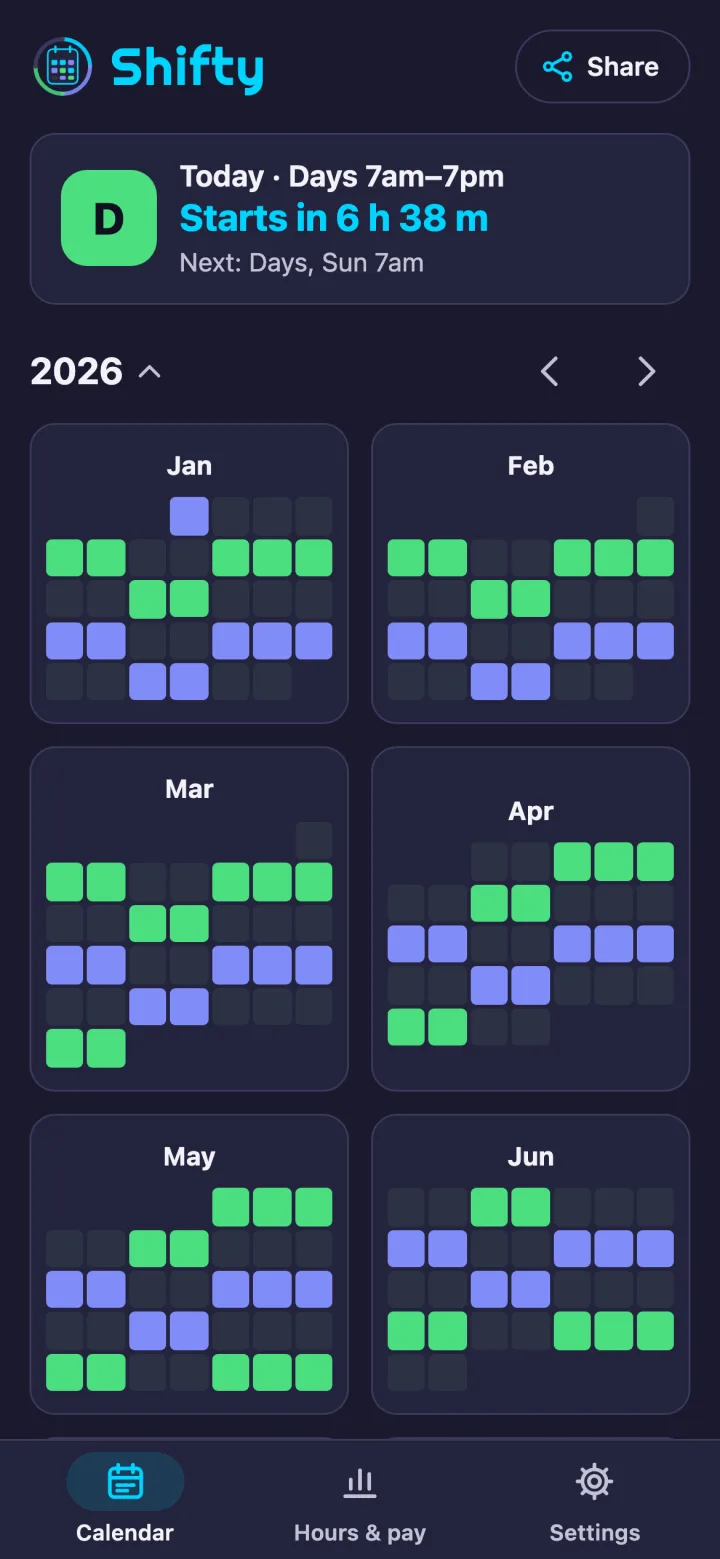
The Now card shows the shift you're on or the next one, with its times and a countdown. Tap it to open that day.
02
Change a day in two taps
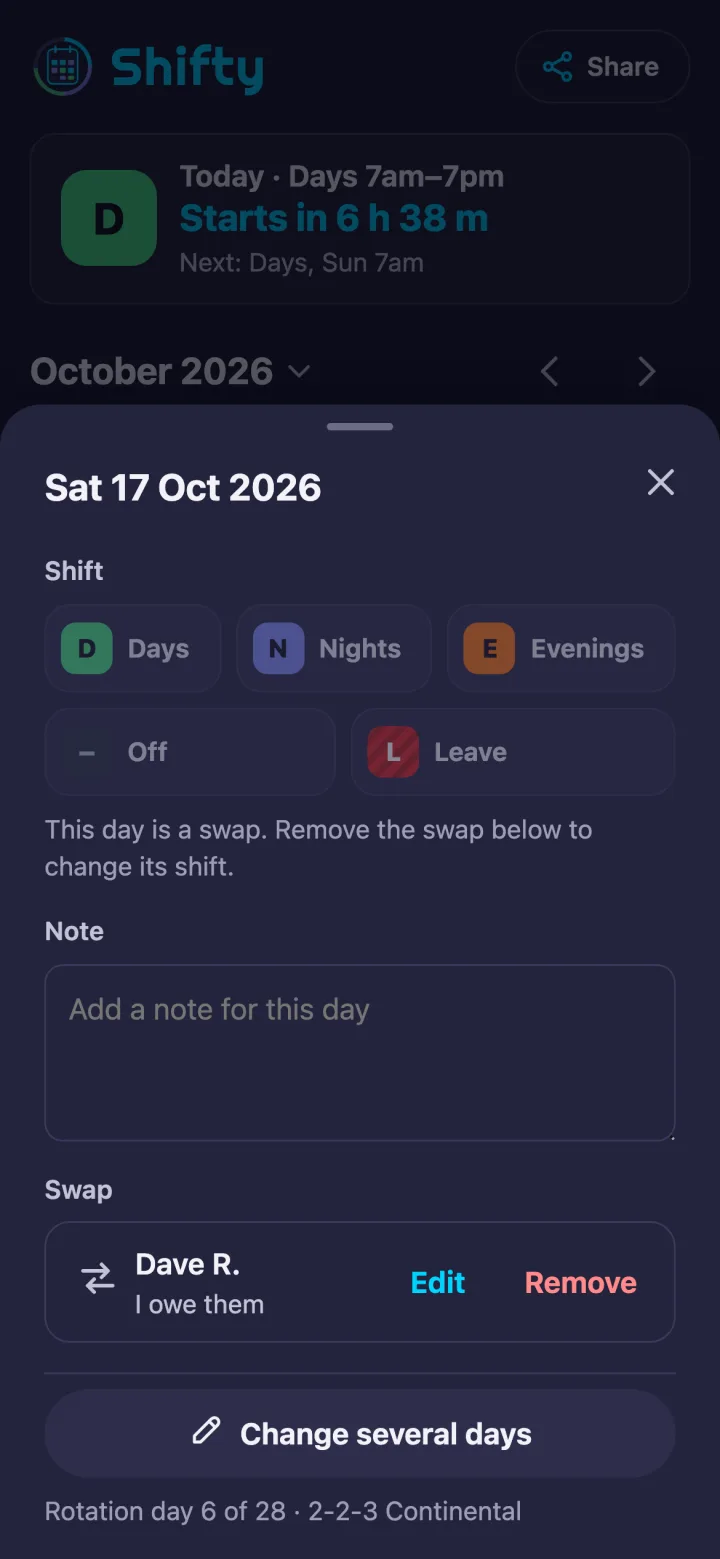
Tap a day, then tap its new shift, Off or Leave, with Undo right there. Or pick a shift and tap or drag across several days at once.
03
Share in three taps
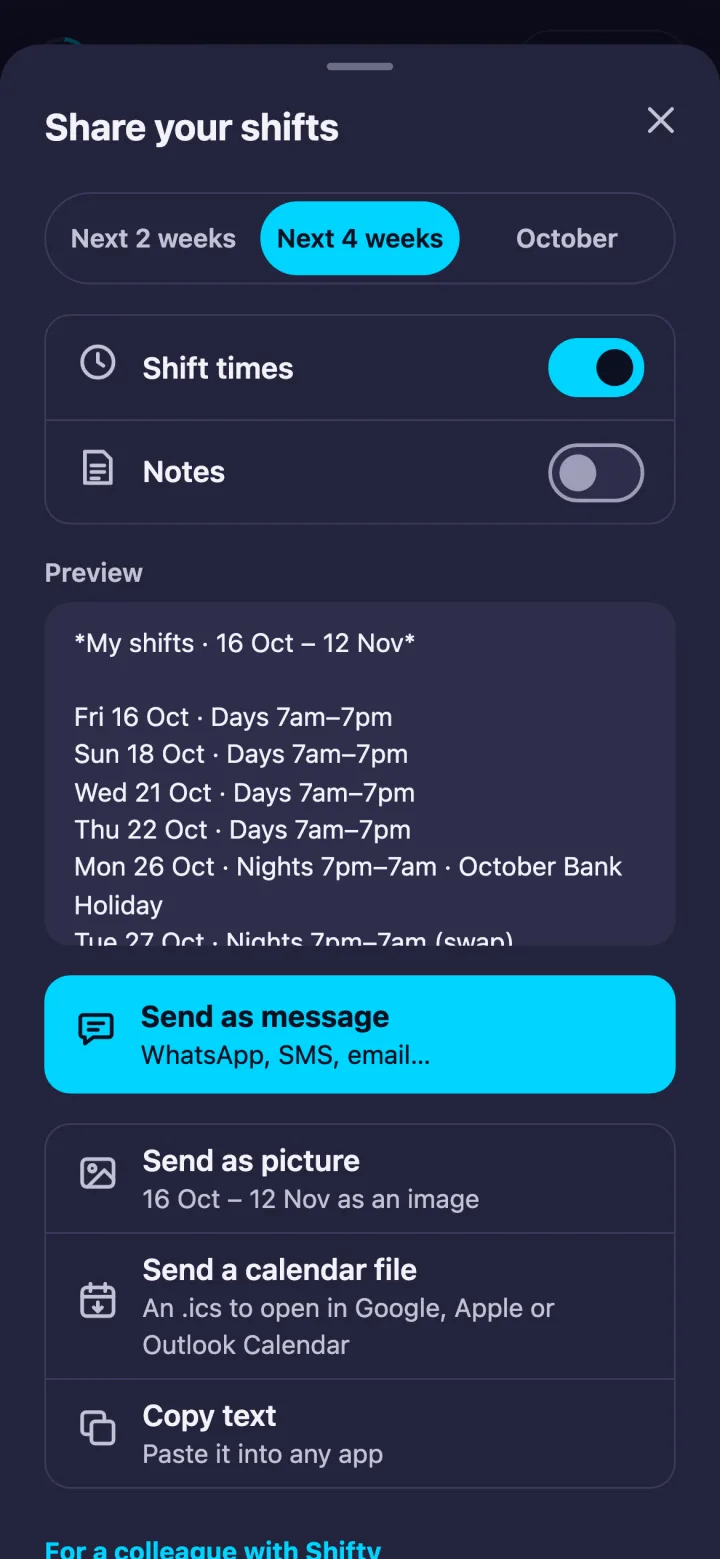
Send the next 2 or 4 weeks, or a month, as a message for WhatsApp or text, as a picture, or as a calendar file for Google, Apple or Outlook.
04
Set up in a minute
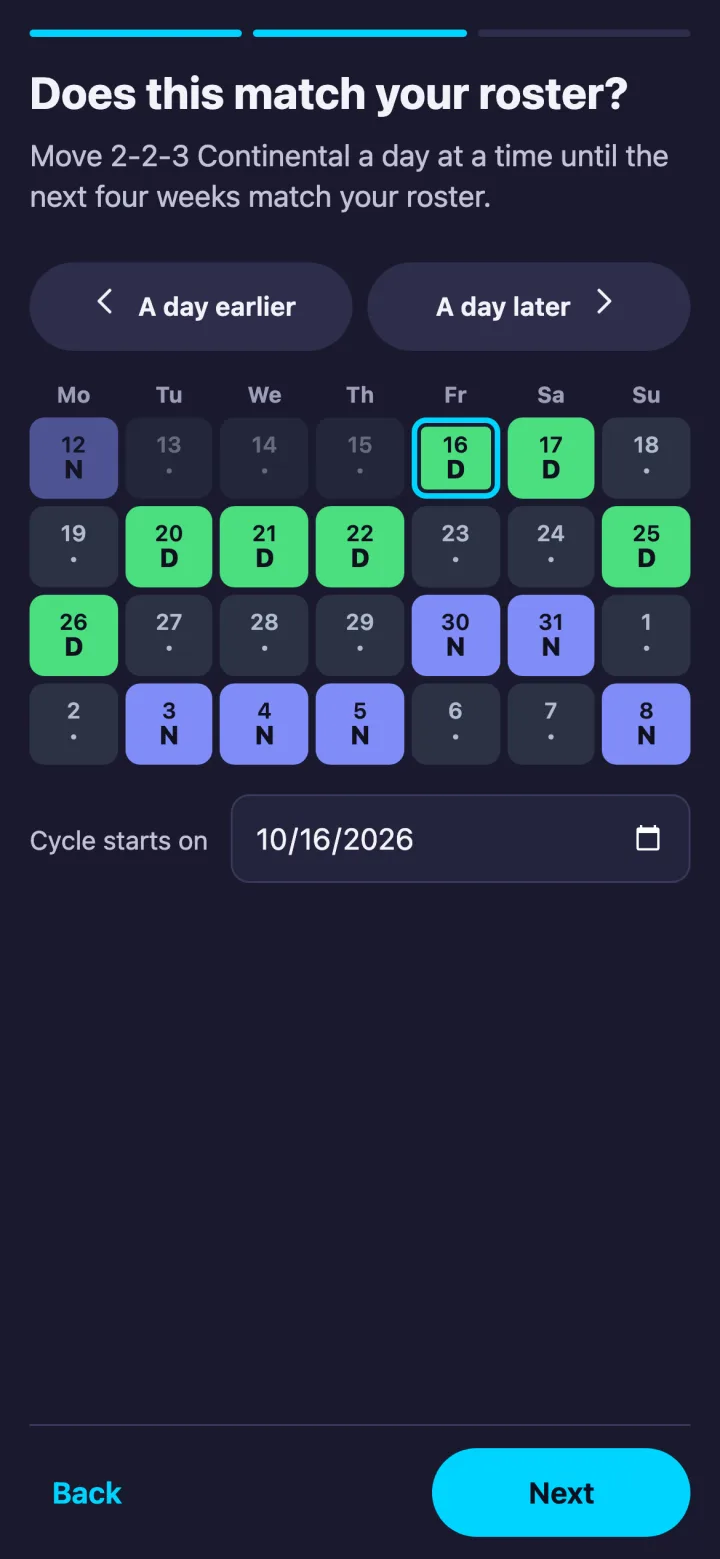
Tap your rotation, line it up with your roster on a four-week preview, check your shift times, choose your reminders and you're done.
05
Reminders that fit shift work
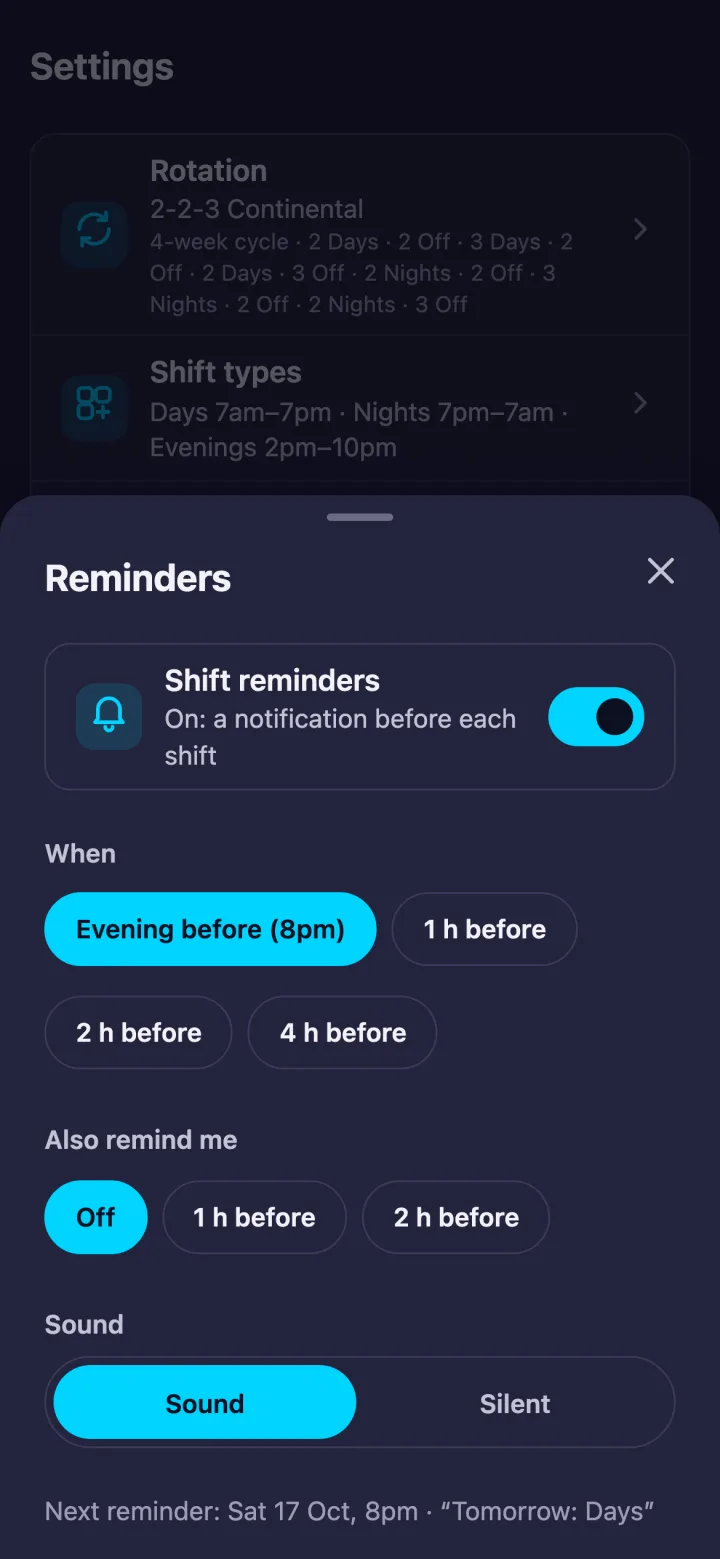
The evening before at 8pm, or 1, 2 or 4 hours before each shift, plus an optional second reminder, with sound or silent.
06
Hours and pay
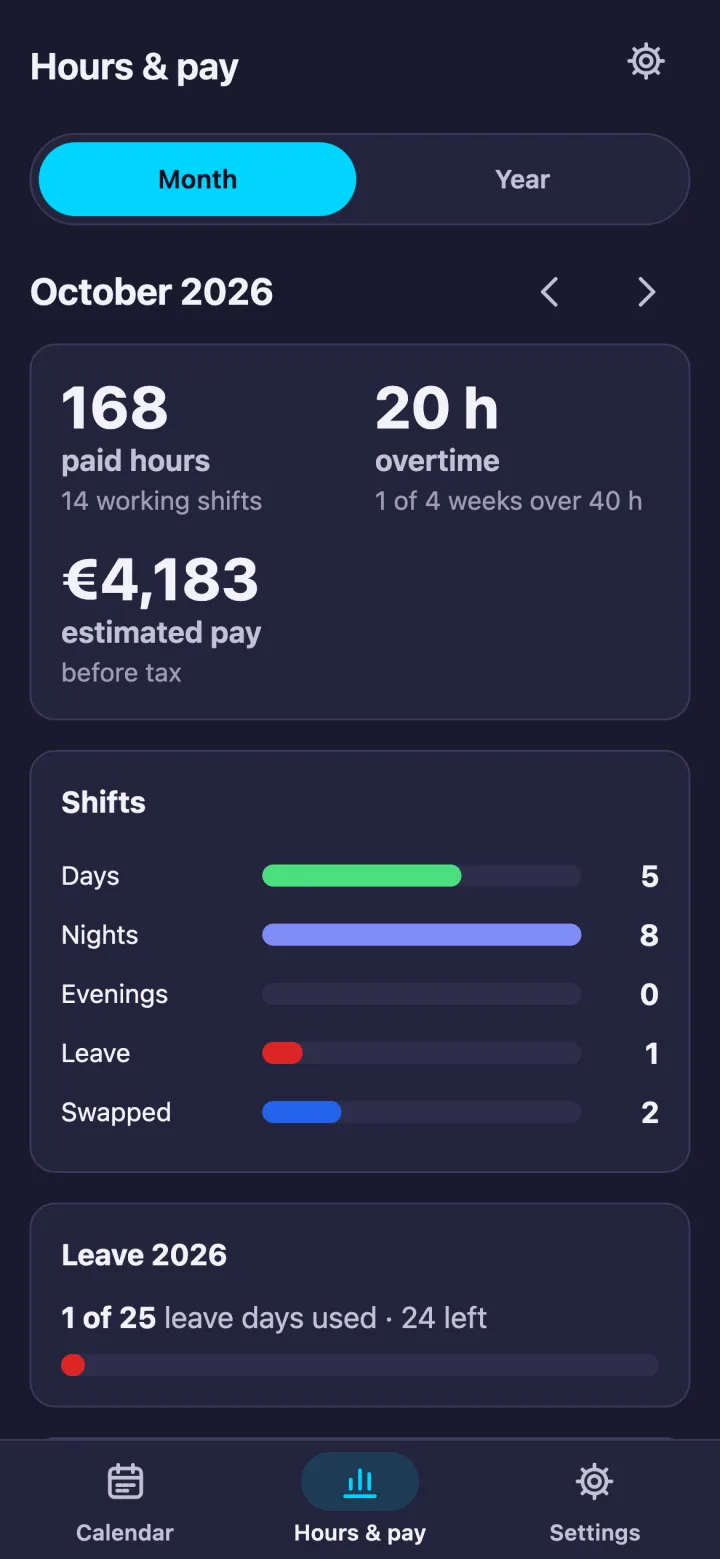
Paid hours with unpaid breaks taken off, overtime week by week, shift counts, leave left, and estimated pay from your hourly rate.
07
Your rotation, your shift types
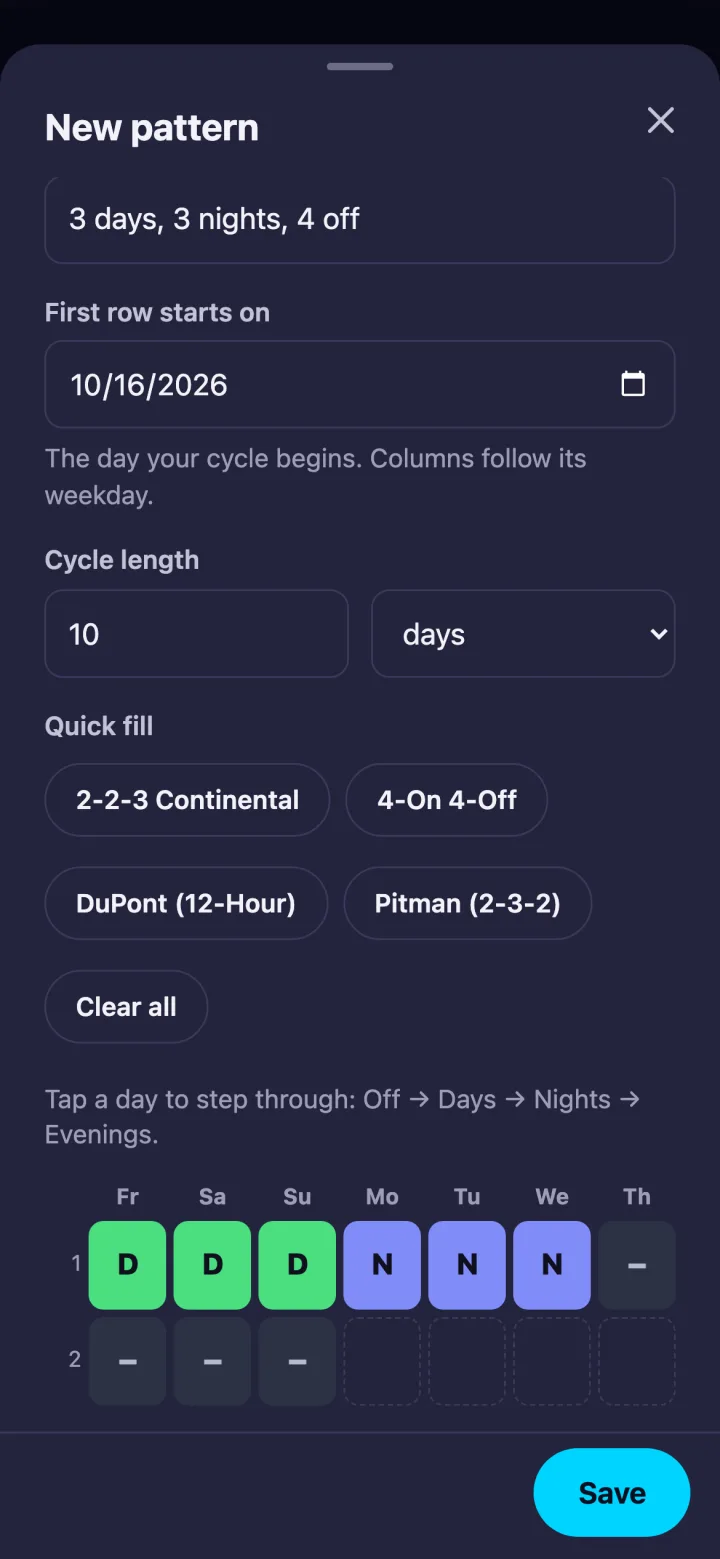
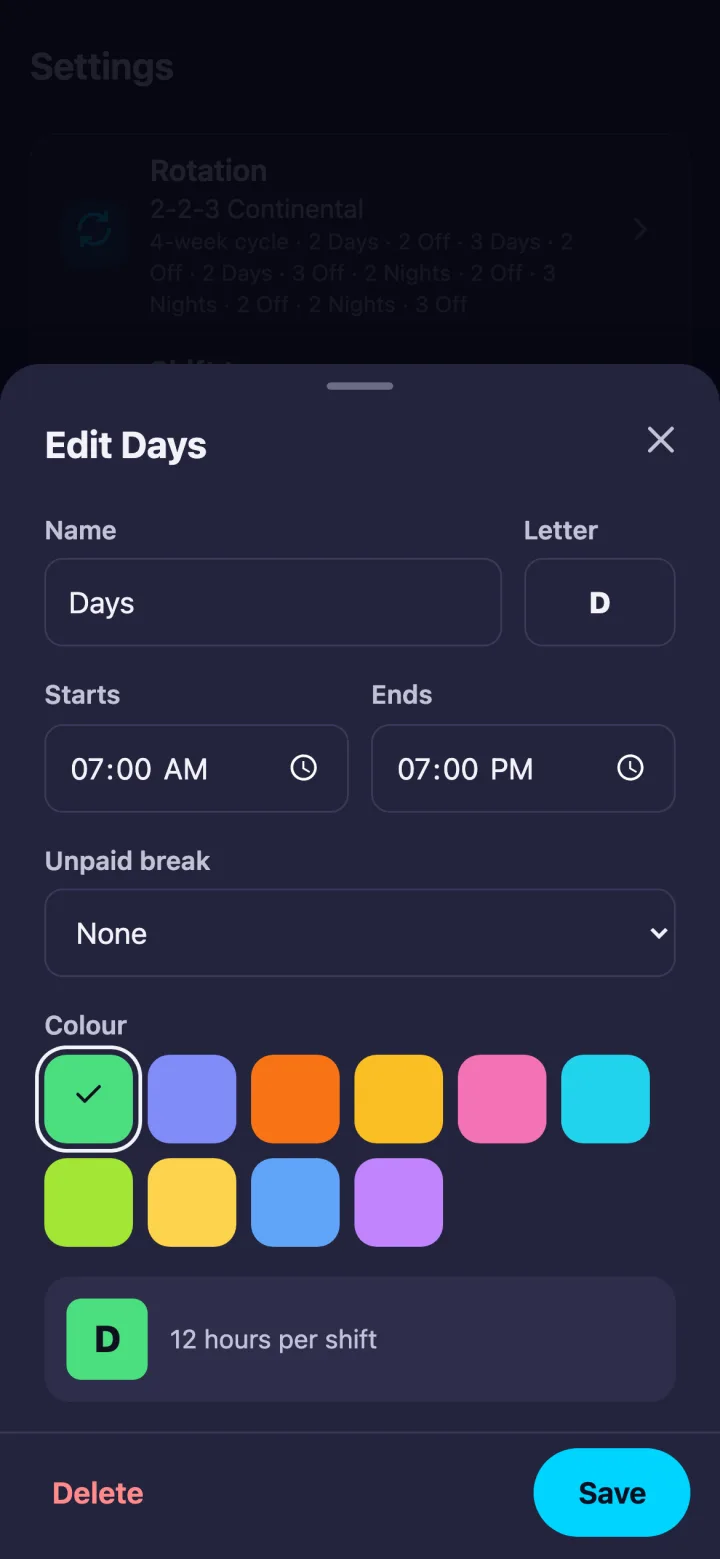
2-2-3 Continental, 4-On 4-Off, DuPont and Pitman are built in, or build your own from 2 to 56 days. Up to five shift types with your own names, letters, times, colours and unpaid breaks.
08
Leave, swaps and notes
Mark leave days, log who you swapped with and who owes whom, and add a note to any day. Public holidays are marked for the USA, UK, Ireland, Australia and Canada.
09
Home-screen widget
On Android, your next shift and the week ahead sit on your home screen, so you can see them without opening the app.
Deep dive
Built for the rota you actually work.
Screenshots and crops are the real app, not mockups, with a sample schedule. The moving rota at the top of the page is an illustration.
01 — Today
Know when you're on next.
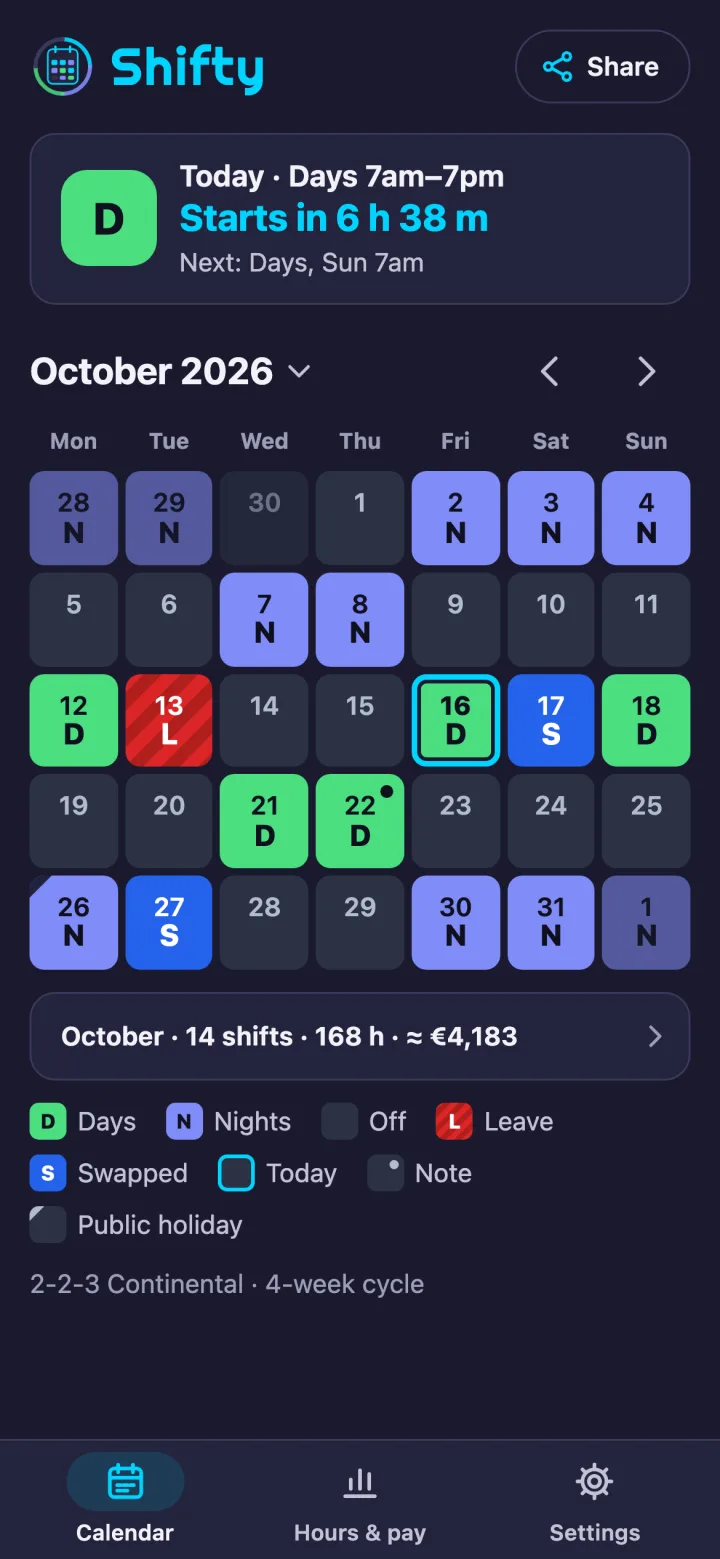
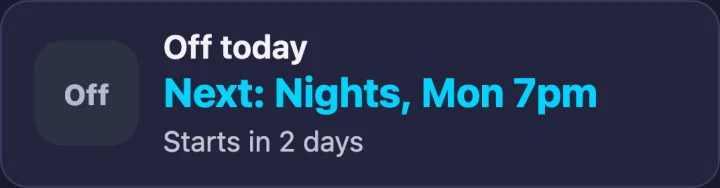
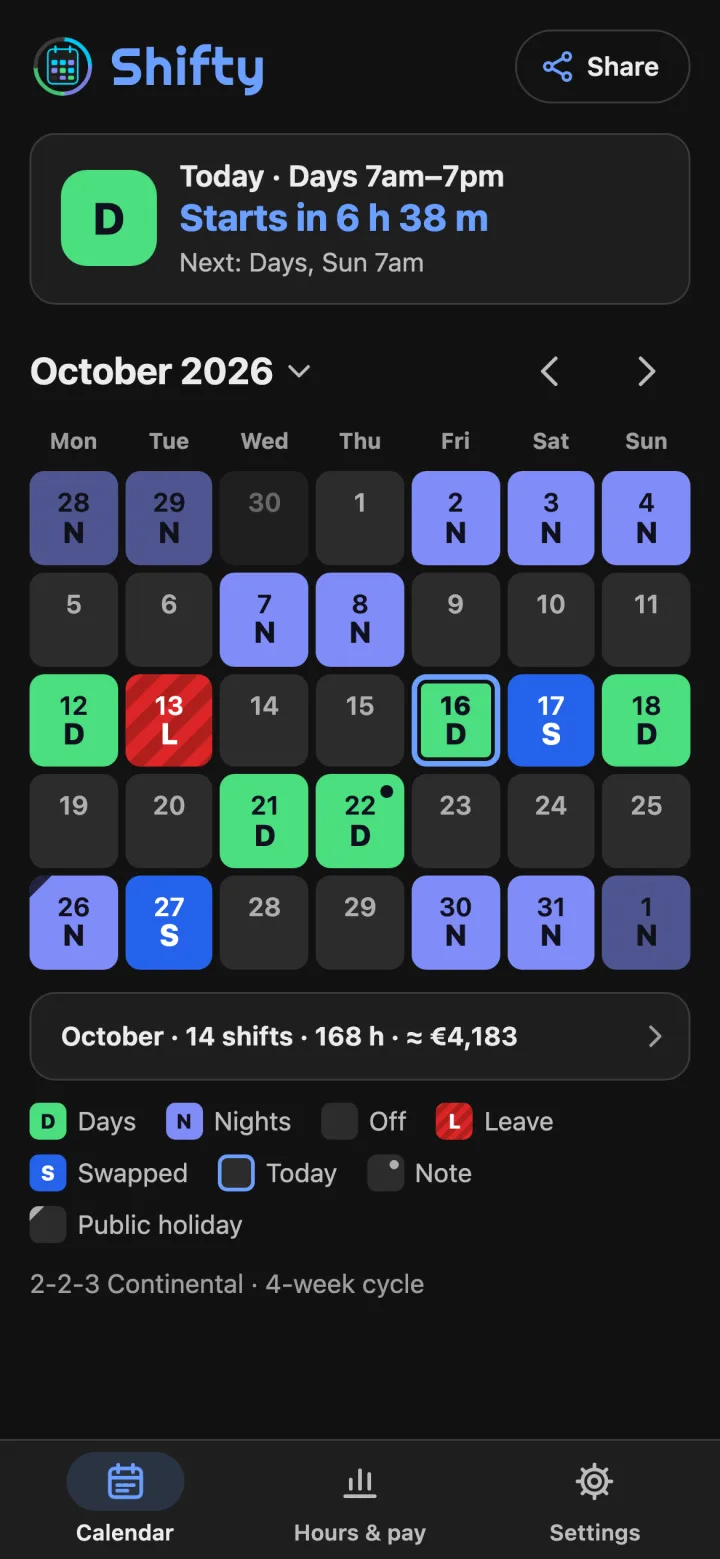
The Now card at the top of the calendar shows the shift you're on, or the next one, with its times and a countdown: “Starts in 6 h 38 m”, “On now · ends 7pm”, or “Off today” with the next shift underneath. Tap it to open that day. Under the calendar, a one-line summary gives the month's shifts, hours and estimated pay, and the legend explains every colour and mark on screen.
In the app · the Now card before a shift
In the app · during a shift
In the app · on a day off
02 — Two taps
Change a day in two taps.
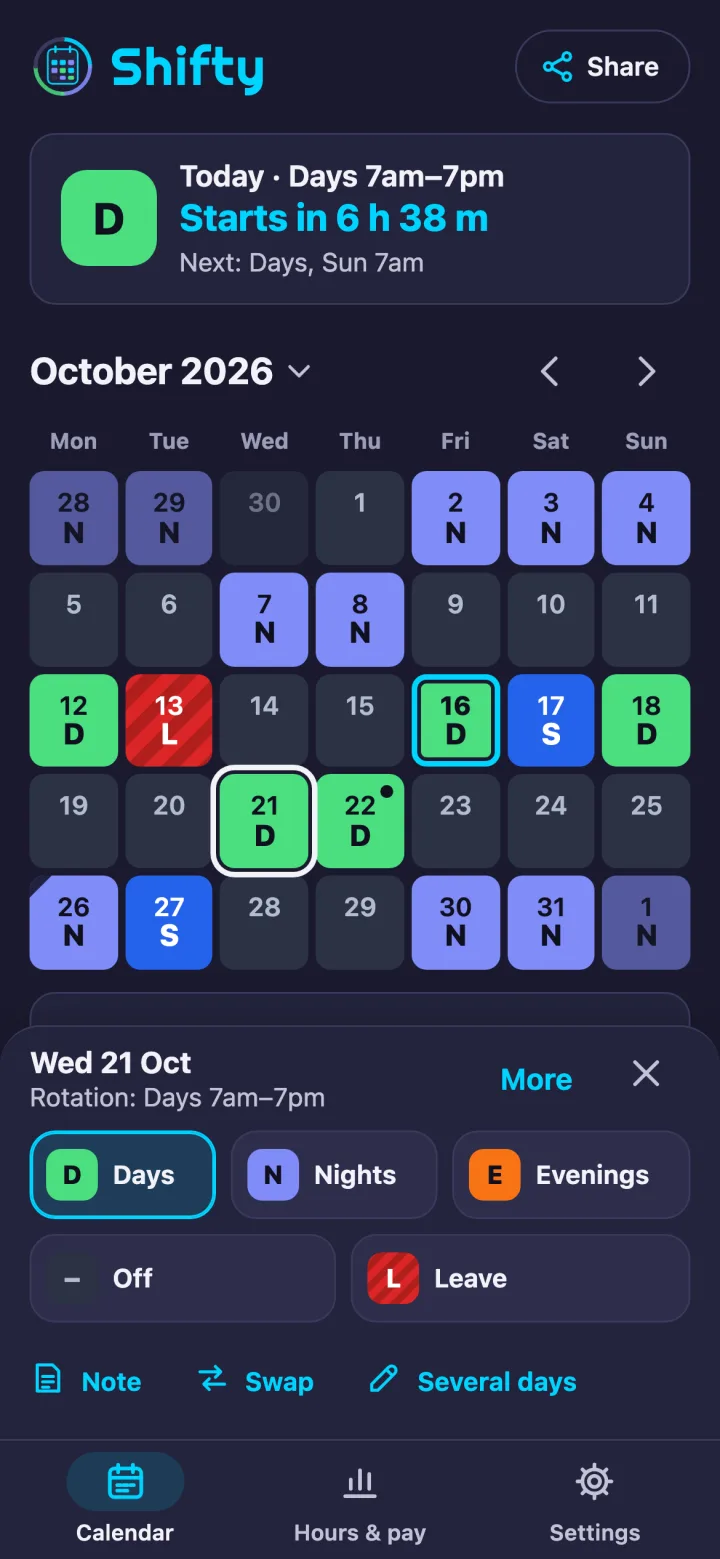
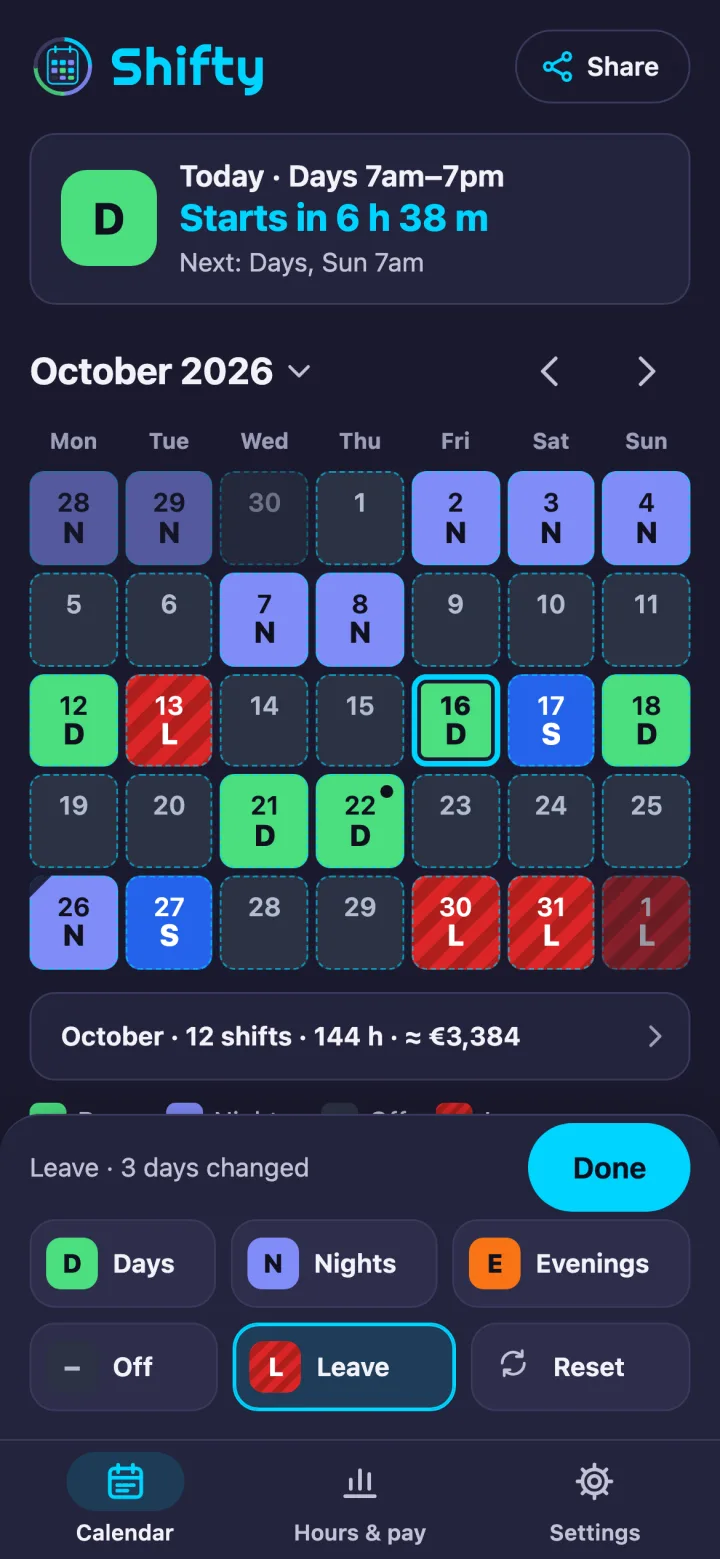
Tap a day, then tap its new shift, Off or Leave. The day changes, the bar closes and Undo is right there. The calendar stays in view, and tapping another day moves straight to it. A note or a swap is one more tap, and holding a day opens everything about it. For a run of days, tap Several days, pick a shift, then tap or drag across the days: one Undo puts them all back.
In the app · the day bar, and Several days
03 — Share
Share your next weeks in three taps.
Tap Share, choose the next 2 weeks, the next 4 weeks or the month on screen, and send it as a message ready for WhatsApp, text or email, as a picture, or as a calendar file for Google, Apple or Outlook Calendar. A preview shows the message before you send it, and notes stay out unless you switch them on. A colleague who has Shifty can import your rotation.
In the app · Share your shifts
04 — Setup and rotations
Set up in a minute.
Tap the rotation you work: 2-2-3 Continental, 4-On 4-Off, DuPont or Pitman. Move it a day at a time until the next four weeks match your roster, check your shift times and you're done. Working something else? Build your own in a grid: any cycle from 2 to 56 days, or 1 to 8 weeks, with a quick fill from the built-in rotations. Change the start day later in Settings.
In the app · setup's four-week preview, and the rotation builder
05 — Reminders and widget
Reminders that fit shift work.
Shifty reminds you the evening before at 8pm, or 1, 2 or 4 hours before each shift, with an optional second reminder and a choice of sound or silent. Settings shows when the next one is due. On Android, allow On-time reminders and they arrive on time instead of up to an hour late, and add the home-screen widget to see your next shift and the week ahead without opening the app.
In the app · Settings, Reminders
06 — Hours and pay
Hours that add up. Pay you can estimate.
Hours & pay counts paid hours with each shift's unpaid break taken off, overtime week by week against your own threshold, and shift counts for any month or year. Add your hourly rate and it estimates your pay before tax, in the currency you choose; set a leave allowance and it shows how many leave days you've used and how many are left. Give each shift type its own name, letter, times, colour and unpaid break, up to five types.
In the app · Hours & pay, and a shift type
07 — Leave, swaps and notes
Everything about a day, one tap away.
Mark leave days, log who you swapped with and who owes whom, and add a note to any day. Leave shows as L and a swap as S, a dot marks a note and a corner marks a public holiday. The month grid shows whole weeks, weeks start on Monday or Sunday as you choose, and tapping the month's name shows the whole year. Public holidays for the USA, UK, Ireland, Australia and Canada are marked for every year, including substitute days off.
In the app · the year, and a day with a swap
08 — Settings and backup
Three tabs, one short settings list.
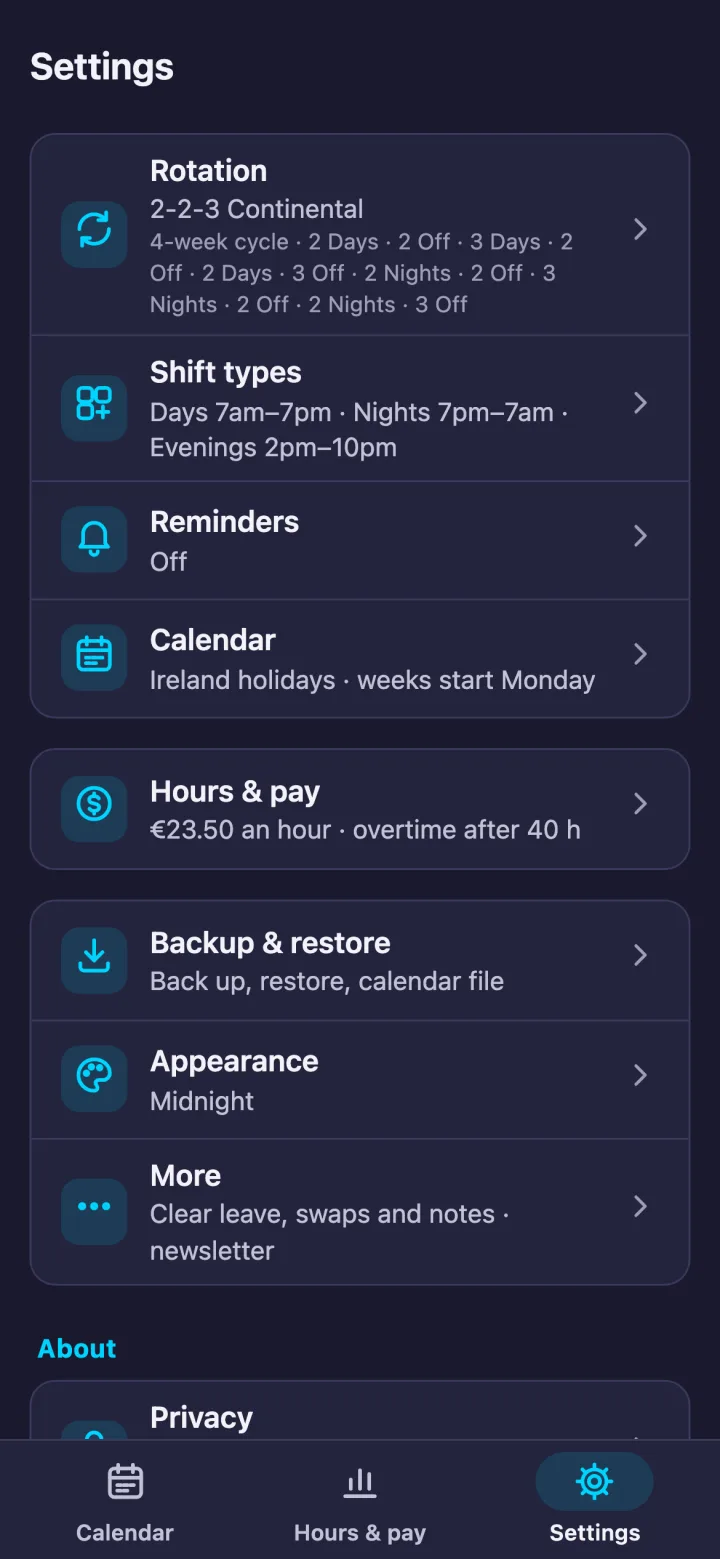
The bar at the bottom has three tabs: Calendar, Hours & pay and Settings. Settings is a short list where each row shows what it's set to and opens one page: Rotation, Shift types, Reminders, Calendar, Hours & pay, Backup & restore, Appearance and More. One backup file holds your shifts, rotation, notes, swaps and settings; restore it on a new phone and Shifty asks before it replaces anything.
In the app · Settings
How it works
Three steps, then it runs itself.
1
Tap your rotation
Pick one of four built-in rotations and move it a day at a time until the next four weeks match your roster, or build your own from 2 to 56 days.
2
Check times and reminders
Check the times of the shifts your rotation uses and choose your reminders: the evening before at 8pm is already picked. Colours, letters and unpaid breaks are in Settings.
3
Tap a day to change it
Tap a day, then tap its new shift, with Undo right there. Reminders, hours and pay keep count.
Real screens
Three themes, day and night.
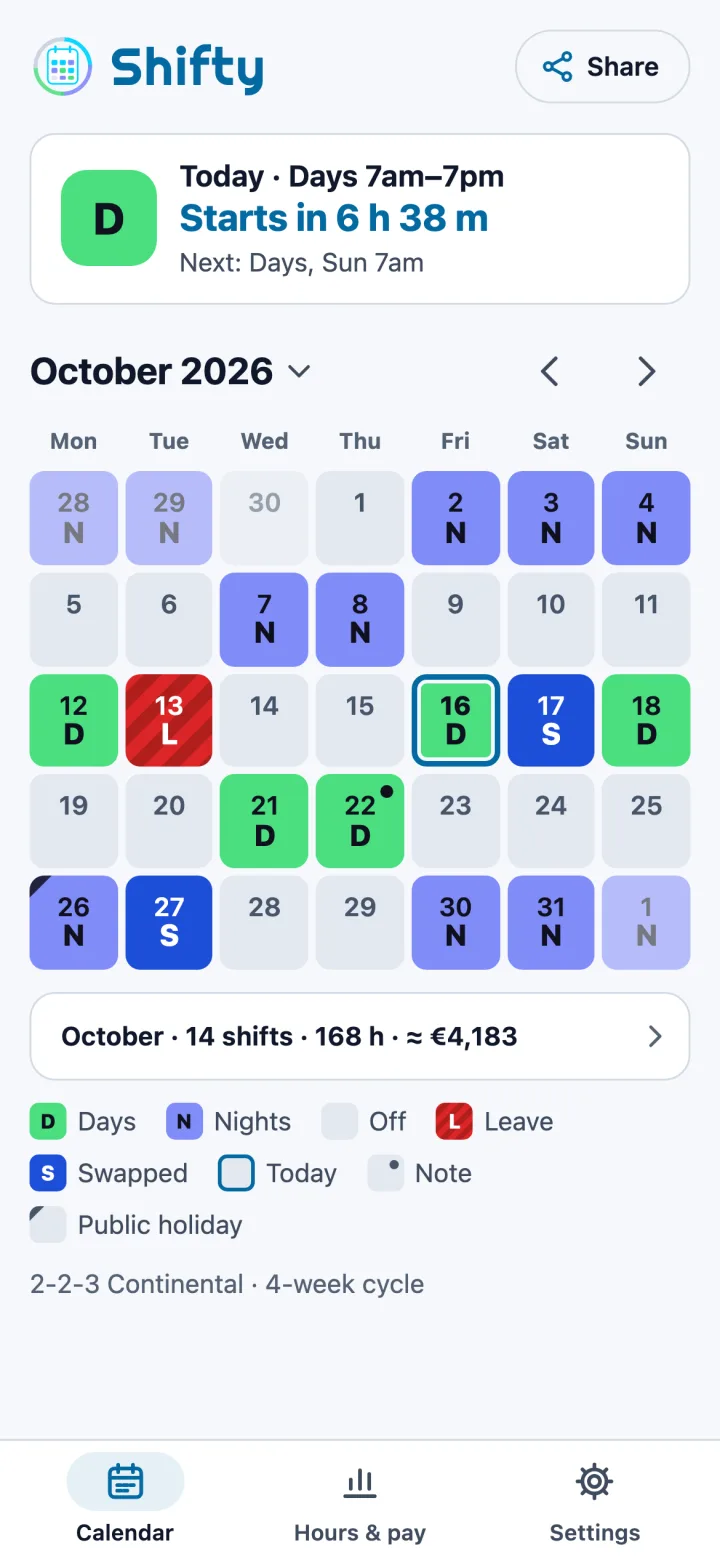
Midnight is the default. Open Settings, then Appearance, to switch to Slate or Daylight. Real screens of the app, with the same sample schedule.
Midnight · default
Slate · dark grey
Daylight · light
Privacy
Your schedule stays yours.
No account and no sign-in. No ads, analytics or tracking libraries. Your shifts, rotation, notes and swaps are saved on your phone, and Shifty never sends your schedule anywhere unless you share it. The only network request the app can make is the optional newsletter sign-up.
Android, optionalAlarms & reminders, for on-time reminders
Your dataon your phone; backups are files you keep
What you need
Nothing complicated.
Android7.0 or newer
iPhone and iPadiOS 15 or newer
AccountNone needed
InternetNot needed — everything works offline
NotificationsOptional, for shift reminders
On AndroidOptional: on-time reminders and the home-screen widget
Launch
Coming soon. No subscription.
ShiftyComing soon
No account, no ads, no in-app purchases.
Built-in and custom rotations, 2 to 56 days
Now card, two-tap changes and sharing
Reminders, hours, overtime, pay and swaps
Works offline, with no account
Coming soon to the App Store and Google Play
FAQ
Questions.
When can I get Shifty?
Shifty is coming soon to the App Store and Google Play. Leave your email on the notify form and we'll tell you when it's out.
How much does it cost?
The price will be announced at launch. No subscription, no ads and no in-app purchases.
Which rotations does it support?
Four are built in: 2-2-3 Continental, 4-On 4-Off, DuPont (12-Hour) and Pitman (2-3-2). For anything else, build your own in the pattern builder (Settings → Rotation → Patterns): any cycle from 2 to 56 days, or 1 to 8 weeks.
Can I set the day my rotation starts?
Yes. When you pick a built-in rotation, setup lines it up on a four-week preview: move it a day at a time until it matches your roster. If you build your own, choose the day its first row starts. Later, change it in Settings → Rotation → Change start day.
How do I change a day?
Tap the day, then tap its new shift, Off or Leave. Undo is right there. For a run of days, tap Several days, pick a shift and tap or drag across the days.
How do I share my shifts?
Tap Share at the top of the calendar, choose the next 2 weeks, the next 4 weeks or the month on screen, and send it as a message, a picture or a calendar file.
Can I put my shifts in Google Calendar?
Yes. Send a calendar file from the Share button, or use Settings → Backup & restore → Calendar file of all your shifts for the next 12 months, and open it in Google Calendar, Apple Calendar or Outlook through your phone's share sheet. It's a one-off copy, so send it again after you change your rota.
Does it need the internet or an account?
No. Every feature works offline and there's no account. Shifty never sends your schedule anywhere unless you share it; the only network request it can make is the optional newsletter sign-up.
How do I move to a new phone?
On the old phone, open Settings → Backup & restore → Back up everything to save one file. On the new phone, open Settings → Backup & restore → Restore a backup or pattern. Shifty asks before it replaces anything.
Does it show public holidays?
Yes, for the USA, the UK, Ireland, Australia and Canada, for every year, including substitute days off. Pick your region, or None, in Settings → Calendar.
Is there a widget?
Yes, on Android: your next shift and the week ahead on your home screen. Add it from Settings → Home-screen widget or from your launcher's widget list.
Why do my reminders arrive late?
On Android, a reminder set a few hours before a shift can arrive up to an hour late unless you allow “Alarms & reminders”. Open Settings → Reminders, tap Allow next to On-time reminders and allow “Alarms & reminders” for Shifty. Reminders then arrive on time.
I use an older version. Will my calendar change?
No. Your calendar, notes, swaps, leave days and settings carry over exactly as they were.
Newsletter
Stay in the loop.
Occasional news about Shifty and other LD Coda apps. No spam.